


CNFans Tutorial & Guide
CNFans Tutorial & Buying Guide 2025 — Step-by-Step How to Order from CNFans
Last updated: October 2025
This CNFans tutorial and buying guide walks you through how to order from CNFans safely, fix the warning popup, and use CNFans spreadsheets for smooth tracking.
What Is CNFans and How Does It Work?
CNFans helps people around the world buy directly from Chinese marketplaces like Taobao, 1688, and Weidian. We make the process simple — from ordering and warehousing to consolidating and shipping your packages safely.
How to Buy from CNFans — Step-by-Step Guide
If you’re looking for a quick CNFans tutorial on your first order, this walkthrough shows exactly how the agent process works — from finding products to placing your order and checking out safely.
- Create an account on CNFans.com or through the mobile app.
- Find products on Taobao, 1688, or Weidian.
- Paste the product link into CNFans — we’ll handle the purchase.
- Consolidate your items in our warehouse to save on shipping.
- Choose your shipping method, track your package, and wait for delivery.
Tip: Always check estimated shipping costs before confirming shipment.
CNFans Spreadsheets
CNFans spreadsheets make it easy to keep track of products, prices, QC photos, and shipping details. Use them to organize your haul, compare prices, or share finds with others.
- Sort items by category, seller, or weight.
- Track each product’s progress — ordered, consolidated, shipped, or received.
- Store CNFans links safely for quick reorders.
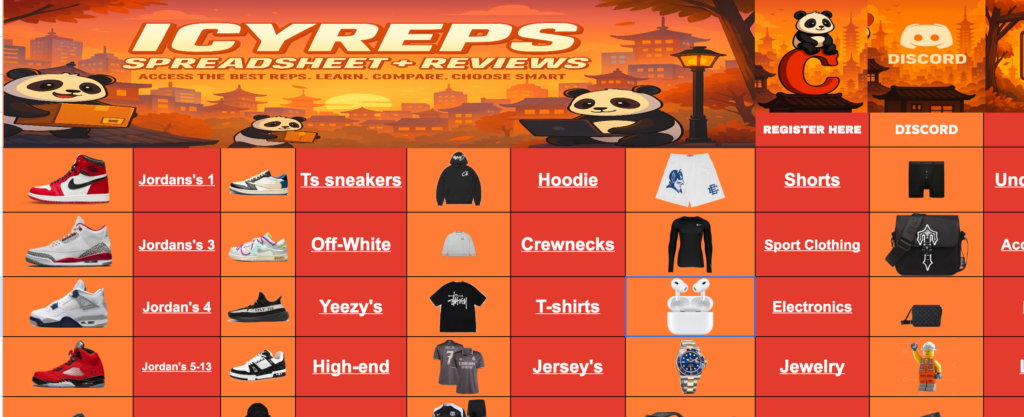
Example CNFans Spreadsheet
CNFans Tutorial – Step-by-Step Example
As a quick CNFans tutorial example: copy a Weidian or Taobao link, paste it into CNFans, confirm the product details, and proceed. If you encounter a blocking banner, use the extension above and refresh — then complete checkout as normal.
Consolidation & Shipping Options
After your items arrive at the CNFans warehouse, consolidate to reduce costs. Compare shipping lines by speed, volumetric weight, and restrictions. Review the estimator for total cost, then confirm shipment when you’re satisfied with QC photos and delivery timelines.
How to Order from CNFans — Summary
Ordering from CNFans is straightforward: create an account on CNFans.com, paste your Taobao, Weidian, or 1688 link, and let CNFans handle the purchase and warehouse storage. This tutorial & guide explains everything you need to complete your purchase without running into warning popups or checkout issues.
Tips for Getting the Most Out of CNFans
- Check seller reviews before purchasing.
- Combine multiple items into one shipment to save money.
- Use spreadsheets to track items and QC photos.
- Stay aware of your local customs limits.
Note: Some CNFans links may contain affiliate tracking to help support maintenance and hosting.